SEO Tools - DocsUsage and billing
Check usage and manage billing
Check plan usage, find invoices, and see when subscription access ends.
Each GeoRanker service has its own plan and usage limits. Open Services in the Platform and select View service details on the service you want to check. The organization owner can also open Billing to see subscriptions and invoices across services. GeoRanker Platform
Check usage and remaining allowance
- In HV SERP API, open Credit pools to see the credits remaining in unexpired pools, the original size of those pools and the percentage used. Check the expiry shown for each pool. Under Credits, owners and admins can check the balance assigned to each key holder.
- Open Rate limits in HV SERP API to check any hourly or daily credit limits by priority. Under Analytics, select a date range and click Apply to see credits spent and requests processed. The Credit Statement lists recent searches and whether each was ready or faulty.
- For SEO Tools, owners and admins can open Usage in the service details to see which features their plan includes and the allowance for each. If the page says live consumption is unavailable, the figures shown are plan limits.

Manage billing
- As the organization owner, open Billing to check each subscription's plan, status and renewal or trial date. Under Invoice History, find a charge by date, amount or status. Select PDF when available to download the invoice.
- To buy extra HV credits, open Services, select View service details on HV SERP API and choose Top up. A top-up is a one-time purchase. Subscribe starts a recurring allowance.
- If a first payment shows Payment pending, use Complete payment to finish activating the service.
Confirm payment
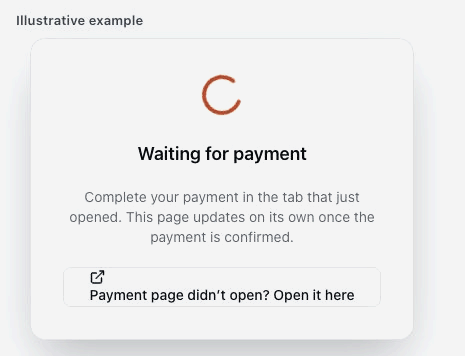
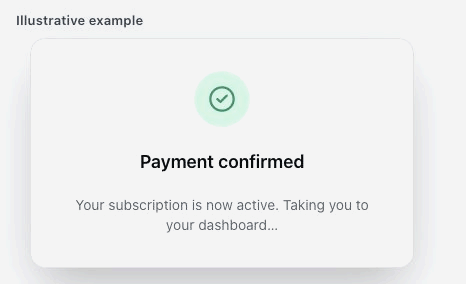
Finish the payment on the page that opened in a new tab, then return to the GeoRanker Platform. While the payment is processing, the Platform shows Waiting for payment. It changes to Payment confirmed when activation is complete.
Cancel a subscription
- In Billing, find the service and select Cancel on the subscription you want to stop. Read the effective date and select Cancel the plan to confirm.
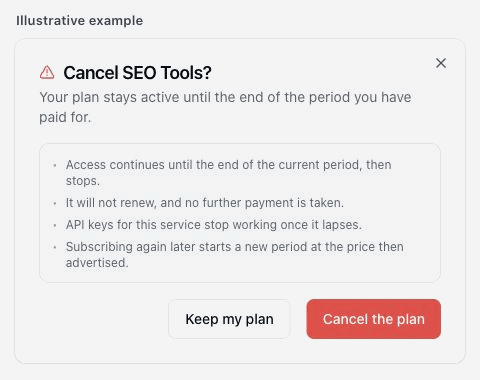
- For an active paid plan, access continues until the end of the paid period. The subscription shows Cancelling and will not renew. API keys for that service stop working when access ends.
- If the renewal shows Payment failed and the paid period has already ended, cancellation takes effect immediately. Access and API keys stop working, payment retries stop and the outstanding invoice remains payable.
For service-specific instructions, see SEO Tools - Docs or High Volume API.