Compare SEO competitors across locations
See which domains rank for your keywords in each market with SEO Competitors.
Find the sites competing for your keywords, then compare where they show up. SEO Competitors displays search results in a matrix: positions down the side, locations across the top.
Create a report
-
Choose your campaign in the sidebar, then open SEO Competitors and select New report.
-
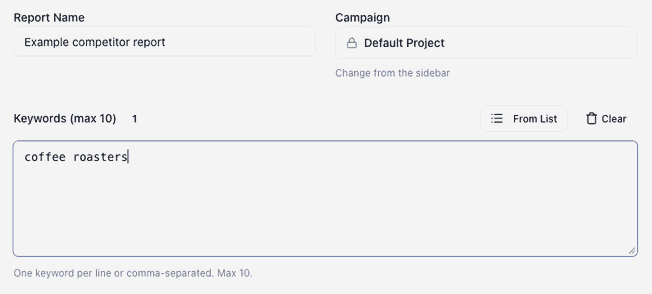
In Basic Details, name the report and add up to 10 keywords. Enter one per line, or use From List.
-
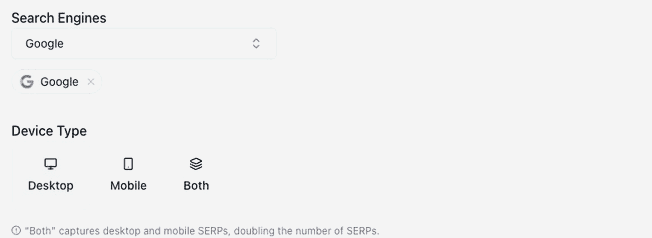
In Search Engines, choose Google, Bing, or Yahoo, select a device, and set the result depth.
-
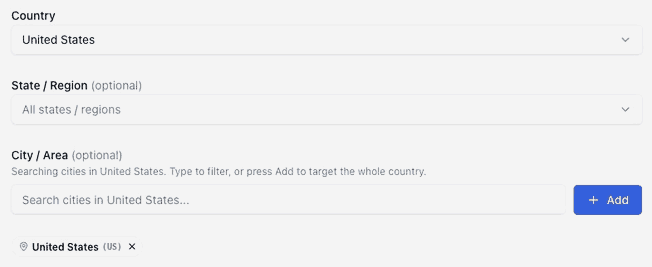
In Locations, select a country. Leave the city blank for country-level results, or choose a state/region and city. Select Add for each location.
-
Select Create Report and wait for the results.
Start with one keyword and a few locations. Both devices doubles the number of SERPs collected.
The setup screenshots show the SEO Tools form. The results below use hotel search data from the interactive example.
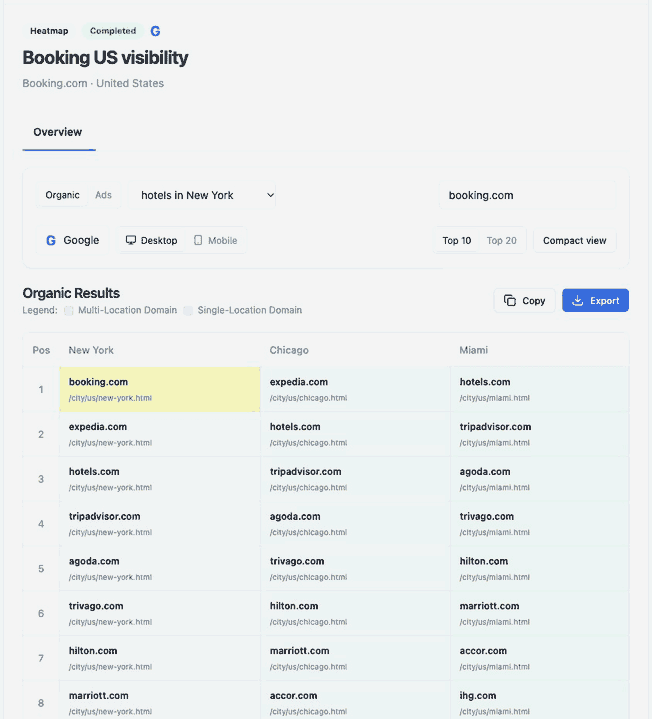
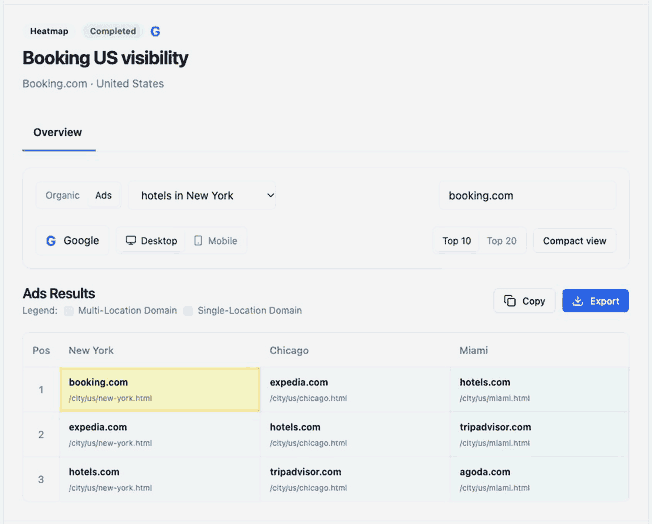
Booking US visibility
Booking.com · United States
Organic Results
Legend: Multi-Location Domain Single-Location Domain
| Pos | New York | Chicago | Miami |
|---|---|---|---|
| 1 | |||
| 2 | |||
| 3 | |||
| 4 | |||
| 5 | |||
| 6 | |||
| 7 | |||
| 8 | |||
| 9 | |||
| 10 |
Sample data. Try the controls; changes stay in this example.
Read the comparison
Choose a keyword, engine, and device in Overview. Each column contains the domains and URLs returned for that location. Use Highlight domain to find a particular site.
The legend distinguishes domains found in multiple locations from those appearing in one. The Organic and Ads views separate the result types. A location with no ad results does not prove that a competitor never advertises.
For a booking.com example, check hotels in New York on Google desktop in the United States. To compare markets, add more locations during setup.
Pick two or three consistently visible domains and inspect their ranking pages. Use SERP Snapshot for result titles and snippets, or Rank Tracker to follow your own positions over time.